Add Gifts From Any Store With the EasyRegistry Firefox Add-on
The Add to EasyRegistry Button saves gifts from any online store straight to your registry while you shop in Firefox. No copy-pasting links, no juggling tabs: see something you love, click the button, and it's on your list.
It's free, takes a couple of clicks to install, and works with the registry you already have, whether that's for a wedding, a baby shower, a birthday or any occasion at all. Prefer Chrome or Edge? There's a Chrome version and an Edge version too.
Step 1
Install the button
Add the extension from Firefox Add-ons, then pin it to your toolbar so it's there whenever you spot something you love.
- Free from Firefox Add-ons, installed in a couple of clicks.
- To pin it: click the Extensions button (the puzzle piece), then the gear next to EasyRegistry, and choose Pin to Toolbar.
- Works with your existing EasyRegistry account, sign in once and you're set.
Step 2
Shop the way you already do
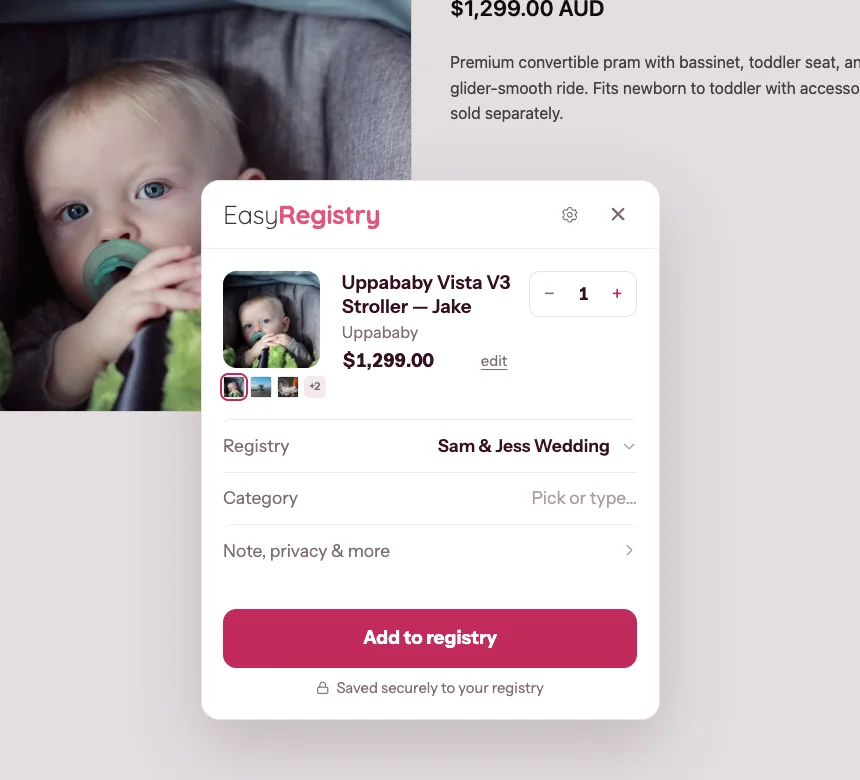
Browse any retailer's site in Firefox. When you find a gift you want, click the EasyRegistry button and it picks up the product's photo, price and details for you.
- Works on any online store, big or small.
- Grabs the photo, price and product details automatically.
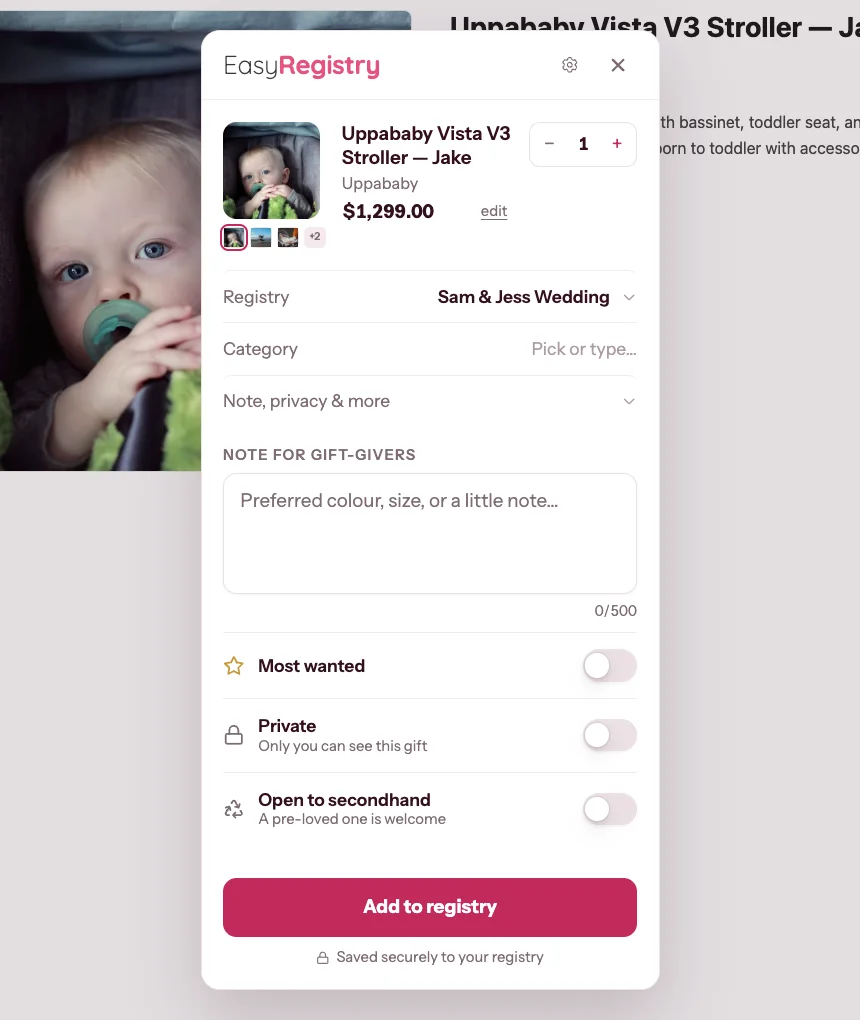
- Add a note for gift-givers, mark it Most wanted, or keep it private.
Step 3
Add it and keep browsing
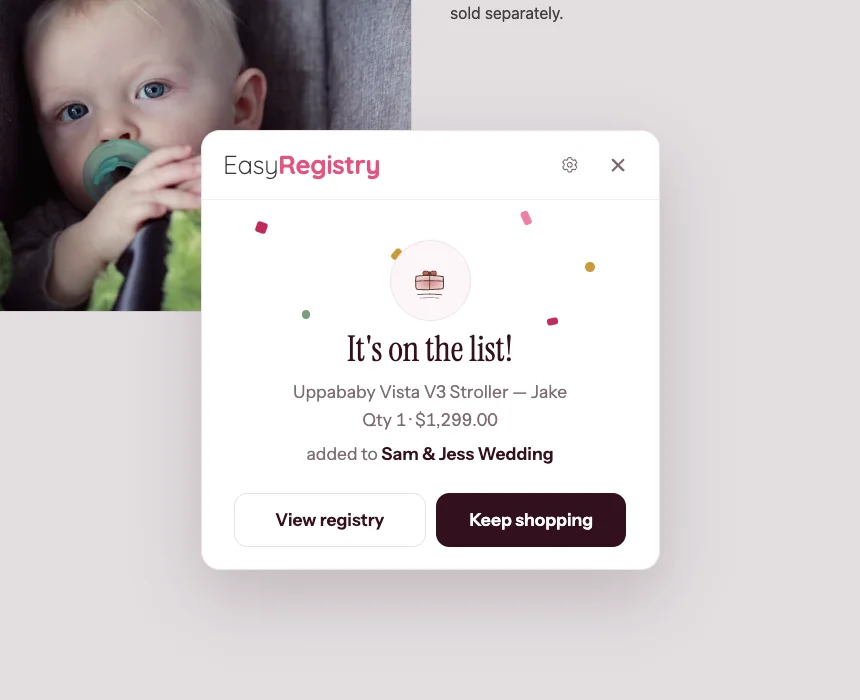
Pick the registry, check the details and click Add. The gift lands on your list instantly and you're back to shopping.
- Choose which registry the gift goes on.
- Adjust the quantity, price or title before saving.
- See it on your registry straight away.
Firefox extension FAQ
Which stores does the extension work with?
Any online store. There's no approved-retailer list: if you can browse it in Firefox, you can add it, from the big department stores to a tiny independent maker. The button reads the product page you're on and fills in the photo, price and details for you.
Is the Add to EasyRegistry Button free?
Yes. The extension is free, and so is creating and sharing your registry. There's no trial and no catch.
Does it work in browsers other than Firefox?
Yes. There's a Chrome version and an Edge version too, and other Chromium browsers like Brave install the Chrome one. On Safari or on your phone, you can still add gifts by pasting a product link on your registry page, it just takes a few more seconds.
Does the extension track my browsing?
No. It stays idle until you press the button on a page, and it doesn't read or track your browsing in the background. It only looks at a product page when you ask it to, so it can fill in the gift's details.
Do I need an EasyRegistry account first?
You'll need a free account to save gifts, but you can install the button first. The first time you use it you'll be asked to sign in, and creating a registry takes about two minutes.
More guides
- How much to give as a gift for the occasion you are celebrating.
- Set up an online wishing well alongside the gifts on your list.
- Free QR code generator to put your registry link on invitations.
Build your registry while you shop
Install the button, browse your favourite stores and watch your registry fill itself. If you haven't created a registry yet, it takes about two minutes.